Sync Saved Search Results to Your CRM
Last updated: July 15, 2026
Keep your CRM current automatically. Once you set up an auto-synced filter, any net-new contacts or accounts that match your saved criteria export to your CRM on their own, so you never have to re-run the same export to catch new records.
What it does
Previously, catching new matching records meant manually re-running the same export every week. With auto-sync, you build a filter once, mark it to keep syncing, and matching records flow into your CRM automatically on your existing update schedule.
For example, you can build a filter like "HR contacts in MI at accounts over $250k" one time, and new matches export as they appear.
Why it matters
New matches land on their own. Net-new records that meet your targeting export automatically, without any repeat work from you.
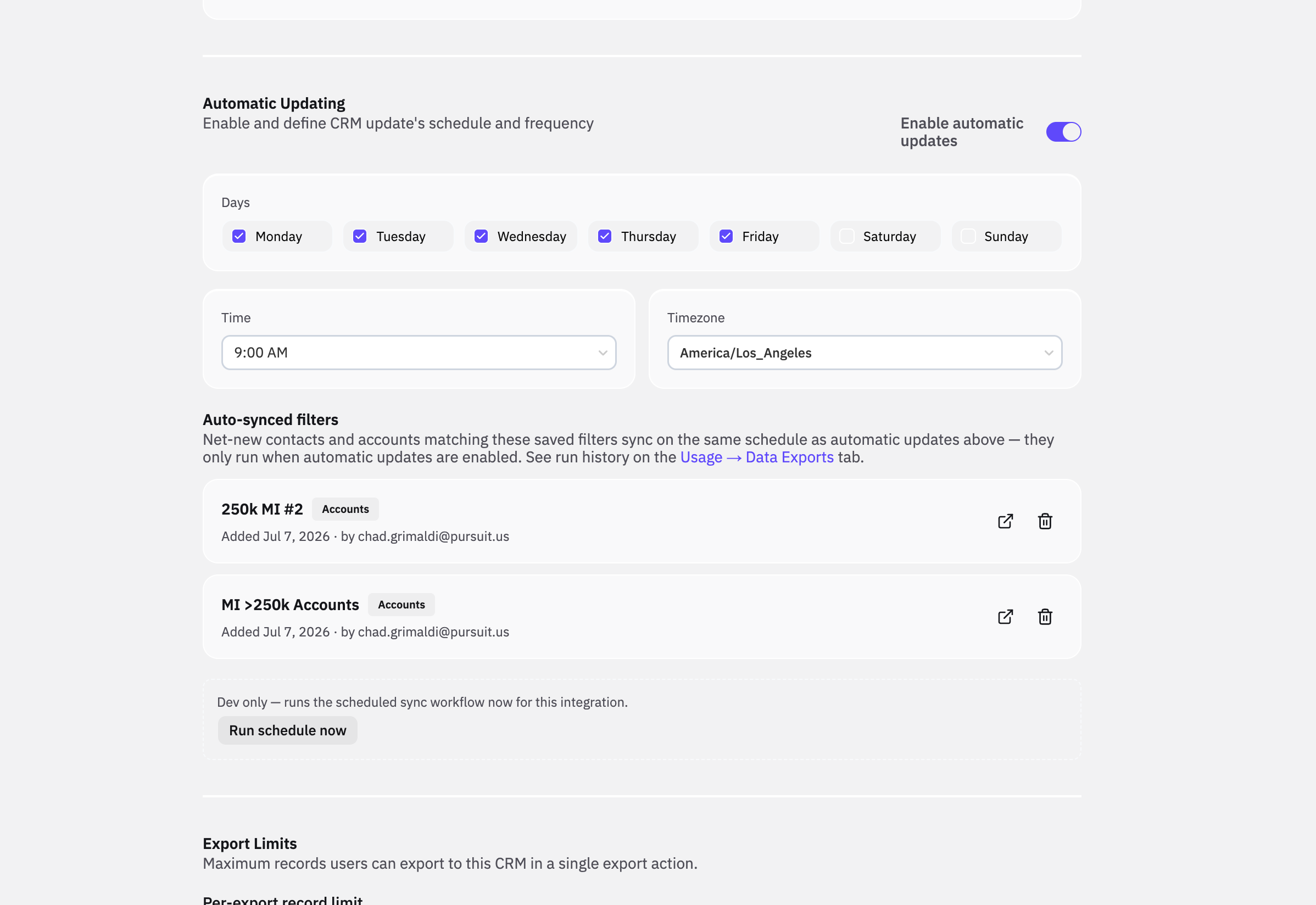
Timing stays consistent. Syncs run on the same schedule as your automatic CRM updates, so everything refreshes together.
Everything in one place. See what's synced, who set it up, and when, and remove any filter you no longer need.
How to set it up
Build and apply the filter you want in Intel. A common approach is to set Account is synced to CRM, then apply the persona filter that matters to you (for example, a specific title or region).
Export the filtered list to your CRM.
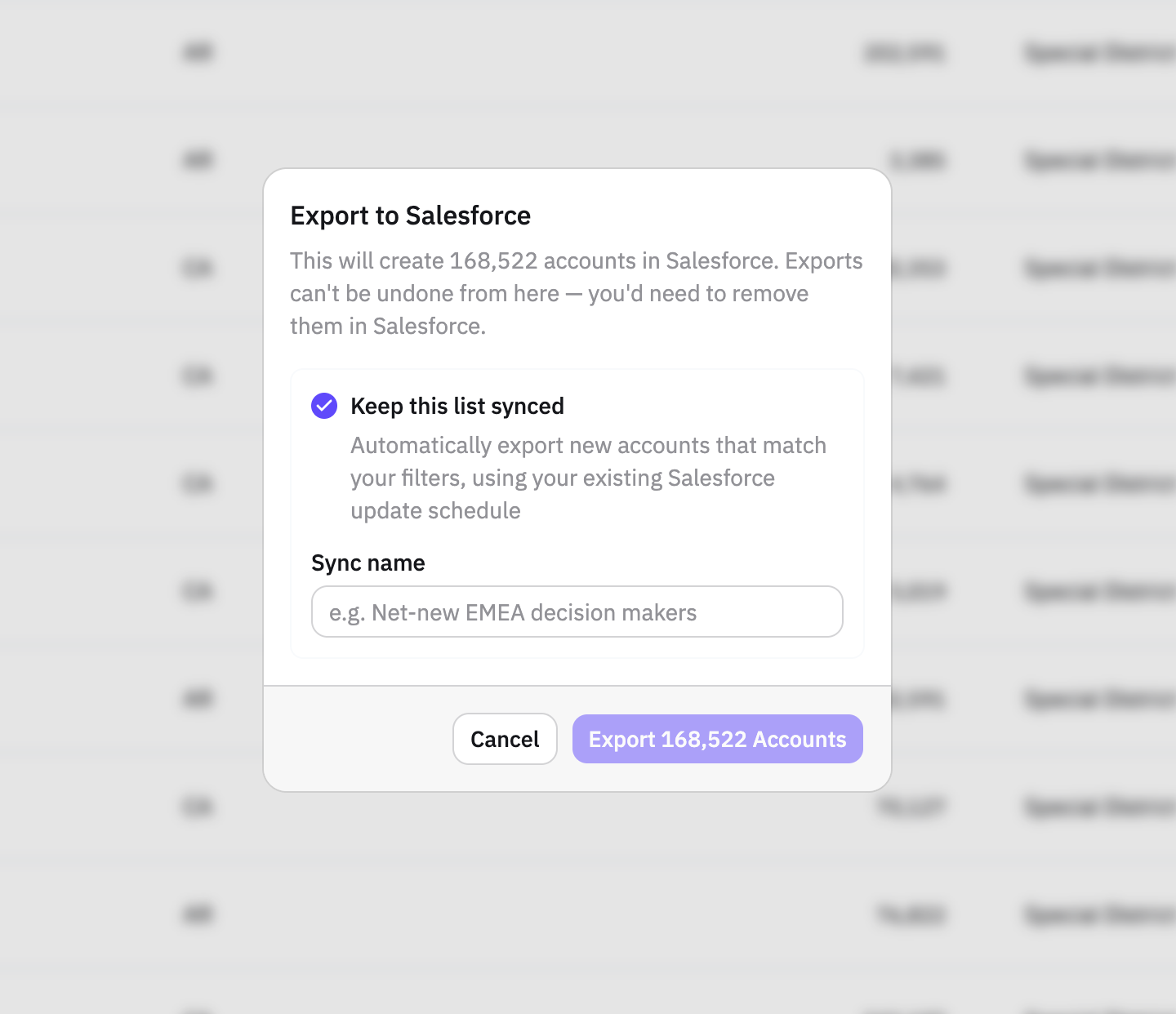
In the export flow, check "Keep this list synced" and give the list a name.
From then on, any new contacts or accounts matching that filter export automatically on your existing update schedule.
Where to manage your synced filters
Integration Settings → Auto-synced filters shows all of your active synced filters, so you can review or remove any that are no longer needed.
Usage → Data Exports shows the run history for each sync.
A quick way to check your coverage
To see whether you have gaps worth syncing, apply a persona filter you care about, then toggle between Contact is synced to CRM and Contact is not synced to CRM. If most contacts are already synced but a small share are not, those missing records are exactly the kind of net-new matches auto-sync will now capture for you going forward.
Frequently asked questions
Is this on by default?
The feature is available to everyone, but nothing new happens until you set up and enable a synced filter. You choose which filters to keep synced.
Does it use credits?
Yes. Each run charges credits for the net-new contacts it exports.
Can I turn a sync off later?
Yes. Manage and remove any synced filter under Integration Settings → Auto-synced filters at any time.