Setting Credit Limits for Your Team
Last updated: August 27, 2026
When to Use This
Use this when you want to cap how many credits one person can spend, so a single user cannot draw down the pool your whole team shares.
Before You Start
You need Admin access to your Pursuit workspace
Check your account balance in Company → Usage so you know what you are dividing up
Steps
Open Company → Manage Credits.
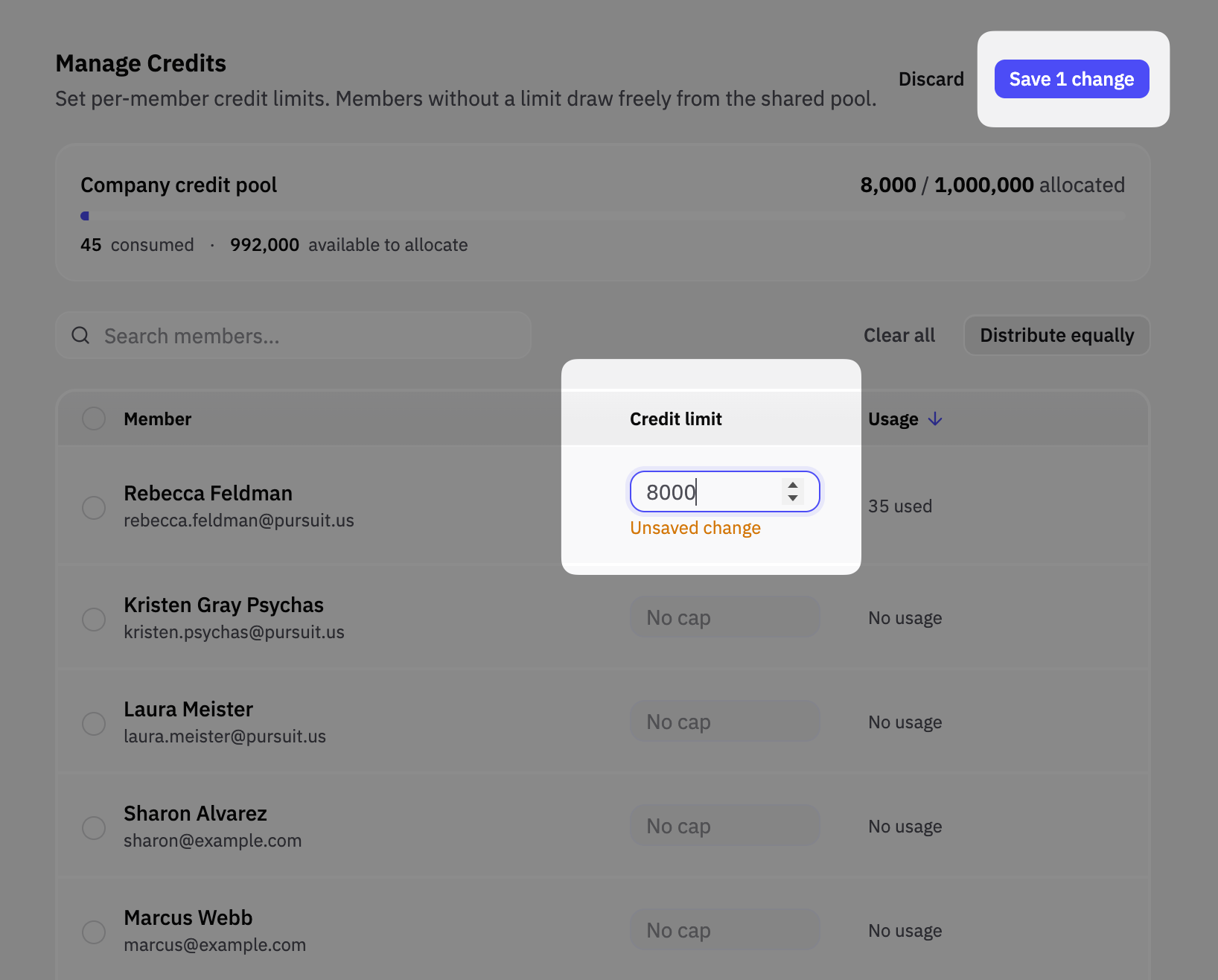
Review the account balance at the top of the page. This is the shared pool everyone draws from, and it is the ceiling for everything you set below.
Find the person you want to cap in the user list.
Enter a number in the Credit Limit column for that person.
Click Save.
Repeat for anyone else you want to cap. Anyone you leave blank keeps drawing from the shared pool with no individual limit.
Warning: A Credit Limit is a fixed number, not a monthly allowance. It does not reset on its own. Once someone spends their limit, they are stopped until you raise it.
What Success Looks Like
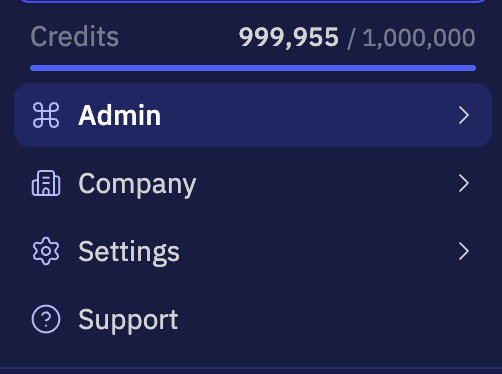
The number you entered shows in the Credit Limit column next to that person's name. On their side, their remaining balance appears in the sidebar credit meter and under Usage in their settings.
Tip: Because limits do not reset, plan how you will top them off. The least-work approach is to set a limit and raise it when someone tells you they are blocked, which also shows you who your heaviest users are. If you would rather nobody hits a stop, put 15 minutes on your calendar each month to review Manage Credits and top everyone up.
Common Issues
Problem: Someone reports an "Insufficient credits" message that reads "You don't have enough credits, please contact support." Fix: They have spent their Credit Limit. Raise it in Company → Manage Credits. Tell your team to come to you first, since the message says "support" but you are the one who sets the limits.
Problem: Someone ran out with no warning. Fix: Pursuit does not send a warning email at any threshold. Point your team to the credit meter in the sidebar and the Usage page, which both show remaining balance as they work.
Problem: A task stopped partway and you are not sure whether it charged you. Fix: It did not. The action is blocked before it runs and the charge is rolled back, so a blocked action never draws down the pool.
Problem: You cannot raise someone's Credit Limit. Fix: Your account is out of credits. Individual limits only divide up the pool you already have, so contact your Pursuit salesperson to add credits to your annual investment. Once the account has credits again, you can raise the limit.
Next Step
For how credits are earned, pooled, and spent across your workspace, read How credits work.