Navigating the Pursuit Platform
Last updated: April 9, 2026
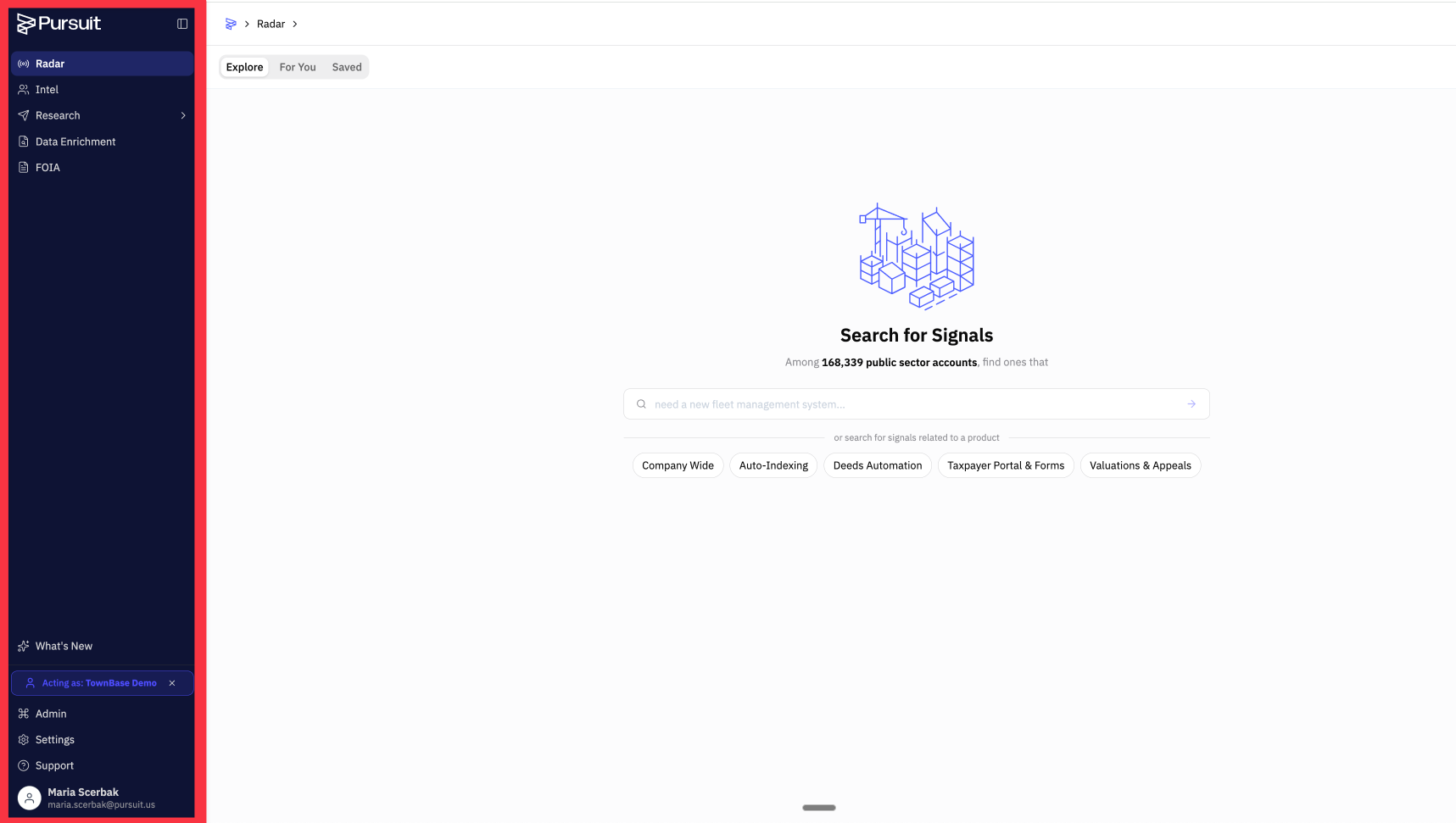
Pursuit's interface is organized around a left sidebar with links to every major section of the platform.
Sidebar Navigation
Radar — Opportunity discovery feed. See Introduction to Radar.
Intel — Entity and contact search. See Introduction to Intel.
Research — AI-powered workbooks. See Introduction to Research.
Data Enrichment — CSV upload and enrichment. See Introduction to Data Enrichment.
FOIA — Public records requests. See Introduction to FOIA.
What's New — Latest product updates and release notes.
Support — Opens a live chat widget with the Pursuit team
Your account menu is at the bottom of the sidebar, with access to Settings and your profile.
Settings (via account menu)
Account — Personal profile and preferences
Company — Organization profile and AI context. See Company Profile and AI Context.
Users — Manage team members and invitations. See Managing Users and Invitations.
Custom Filters — Shared filter sets. See Creating and Using Custom Filters.
Products — Define what you sell (drives Radar). See Understanding Products.
Integrations — CRM, email, Slack, Zapier. See Available Integrations.
Webhooks — Push data to external tools. See Setting Up Webhooks.
Usage — CRM sync history and CSV download audit log. See Understanding Usage Tracking.