How to Find More Contacts for a Small Territory
Last updated: September 2, 2026
Q: "I can only find one contact at a small office."
When to Use This
Use this when Pursuit returns a small number of contacts for a smaller account or sub-agency.
Before You Start
Know the parent account for the smaller agency (for example, the city or district it falls under).
Steps
Open the account's contact list in Intel.
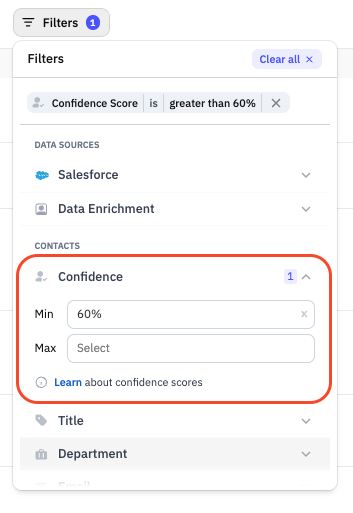
Lower the confidence score filter below the default 60%.
Review the additional contacts that appear.
Open the parent account's contact list.
Look for titles there that likely also cover the smaller agency.
Open Chat with Account for the smaller agency.
Ask it to search all documents on file for named contacts at that agency and/or contacts at the parent account.
What Success Looks Like
You have at least one additional contact to work with, or you've confirmed Intel doesn't have more on file yet for that agency.
Common Issues
Problem: Lowering the confidence filter still returns nothing new. Fix: Check the parent account. Smaller agencies may be covered by titles listed one level up.