How to Check Contract History with Chat with Account
Last updated: September 2, 2026
Q: "How do I know if someone already has a contract in place?"
When to Use This
Use this when you need to know whether an RFP or a cooperative contract vehicle was already used to purchase from a vendor, and clicking through linked contract pages by hand isn't giving you a clear answer.
Steps
Open the account in Intel.
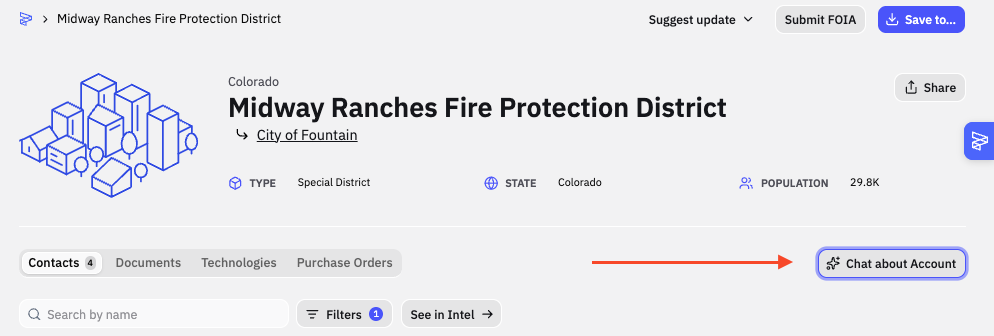
Click Chat about Account.
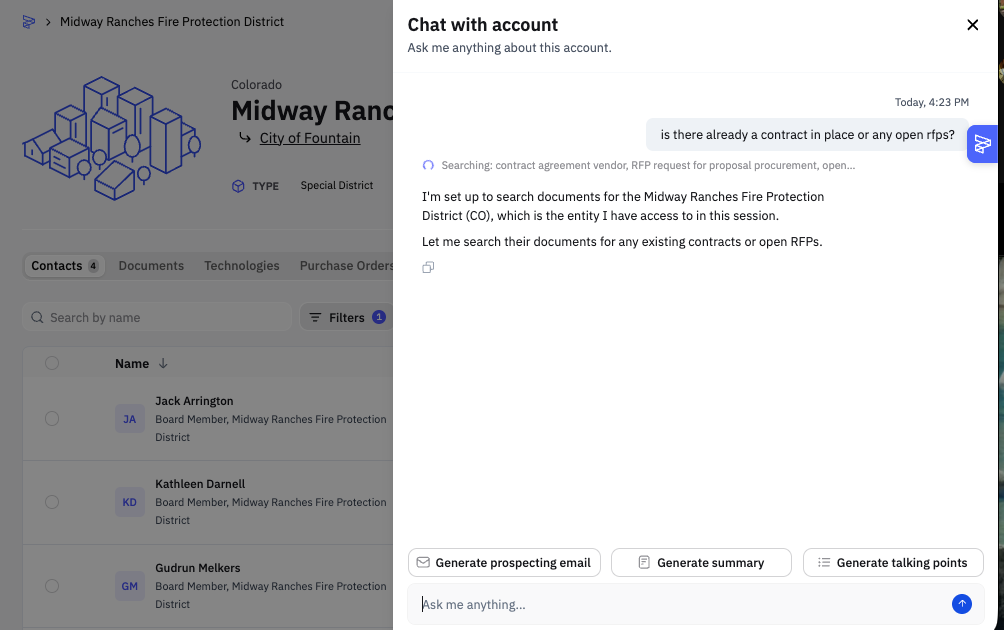
Ask your question directly, naming the specific contract or RFP.
Review the source documents cited in the response.
What Success Looks Like
Chat with Account returns a direct answer with the documents it used to get there, instead of you piecing it together from linked contract pages.
Common Issues
Problem: The answer references a contract page you don't have access to. Fix: Ask Chat with Account to summarize what's in the document directly rather than opening the link.