How to Archive Research Worksheets
Last updated: July 23, 2026
When to Use This
Archive a worksheet when it's outlived its purpose — a completed research sprint, a deal that closed, or just accumulated clutter you no longer need in view.
Archiving from the Research dashboard
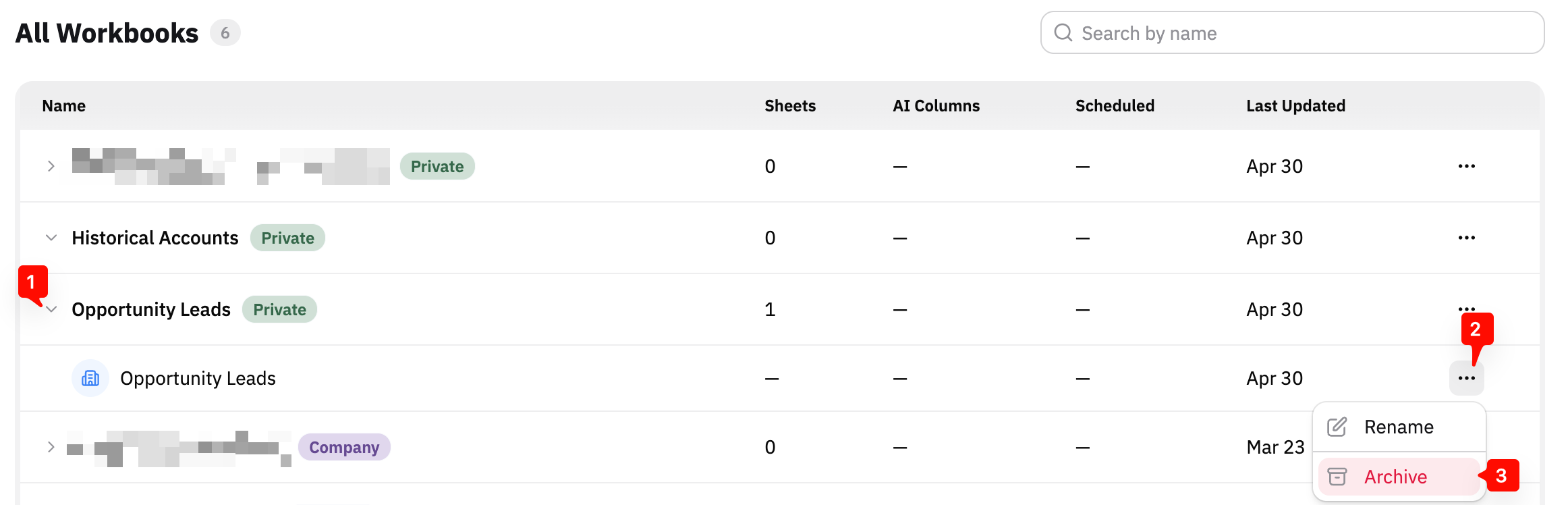
Click on Research in the main navigation bar on your left
Click on the arrow to the left of the workbook's name to open up the list of worksheets within it
Click on the 3 dots (
...) to the right of the worksheet's nameSelect Archive next to the desired
Archiving from your current worksheet
From inside your current worksheet
Click on the 3 dots (
...) next to the worksheet's nameSelect Archive from the dropdown list
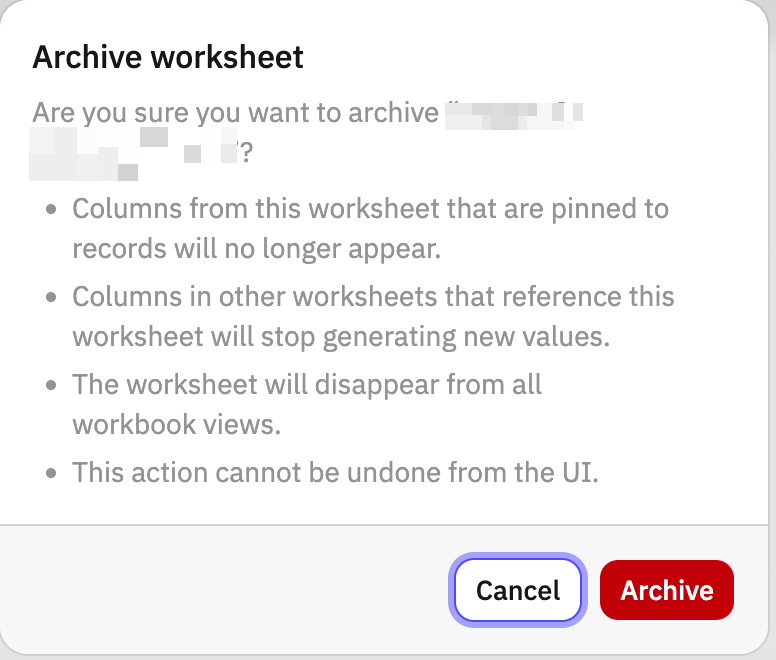
Confirm in the modal that appears.
Confirming the request
The platform will prompt you to confirm that you want to archive the worksheet before the action is complete.
What Success Looks Like
The archived worksheet no longer appears in your workbook. Your remaining worksheets are unaffected.
FAQ
Does archiving delete the worksheet?
No. Archiving removes the worksheet from view — the data is preserved.
If you need a worksheet un-archived, contact Pursuit Support
How do I archive the entire workbook, not just a single worksheet?
You can only archive individual worksheets right now.
Email Pursuit Support if you need an entire workbook archived