Setting or changing a default worksheet in your workbook
Last updated: April 30, 2026
If your research workbook has multiple worksheets within it, you can easily set your preferred worksheet to be the default that opens.
You can do this either on the Research homepage or within a workbook itself.
Option 1: From Research homepage
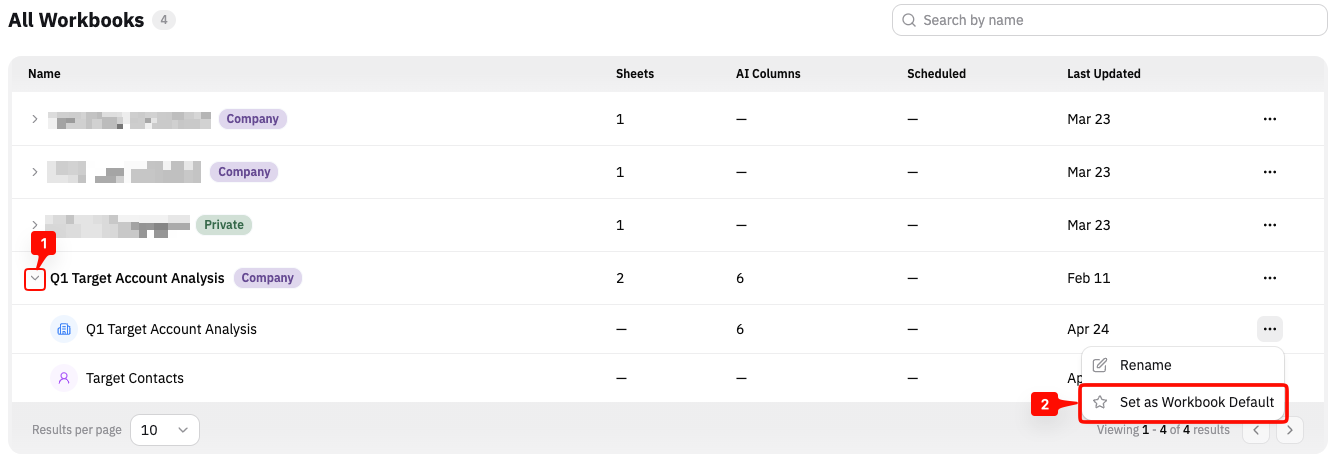
From the Research homepage
Click on the arrow next to the workbook to open the worksheet listing
Click the 3 dots (···) on the worksheet name
Select
Set as Workbook Default
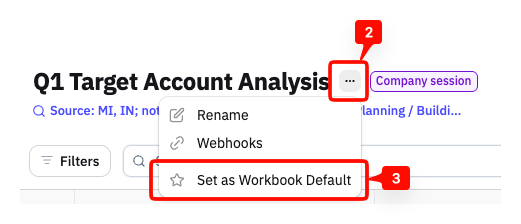
Option 2: Within the workbook
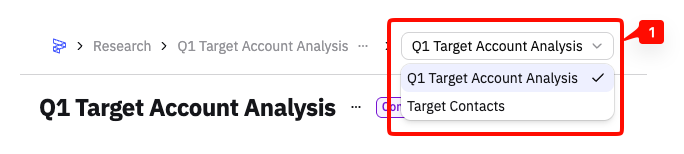
If you're inside your workbook
Click on the worksheet dropdown to jump to the preferred worksheet
Click the 3 dots (···) next to the worksheet name of the one you want to set as the default
Select
Set as Workbook Default