How Dependent Columns Work in Research
Last updated: August 7, 2026
Quick Answer
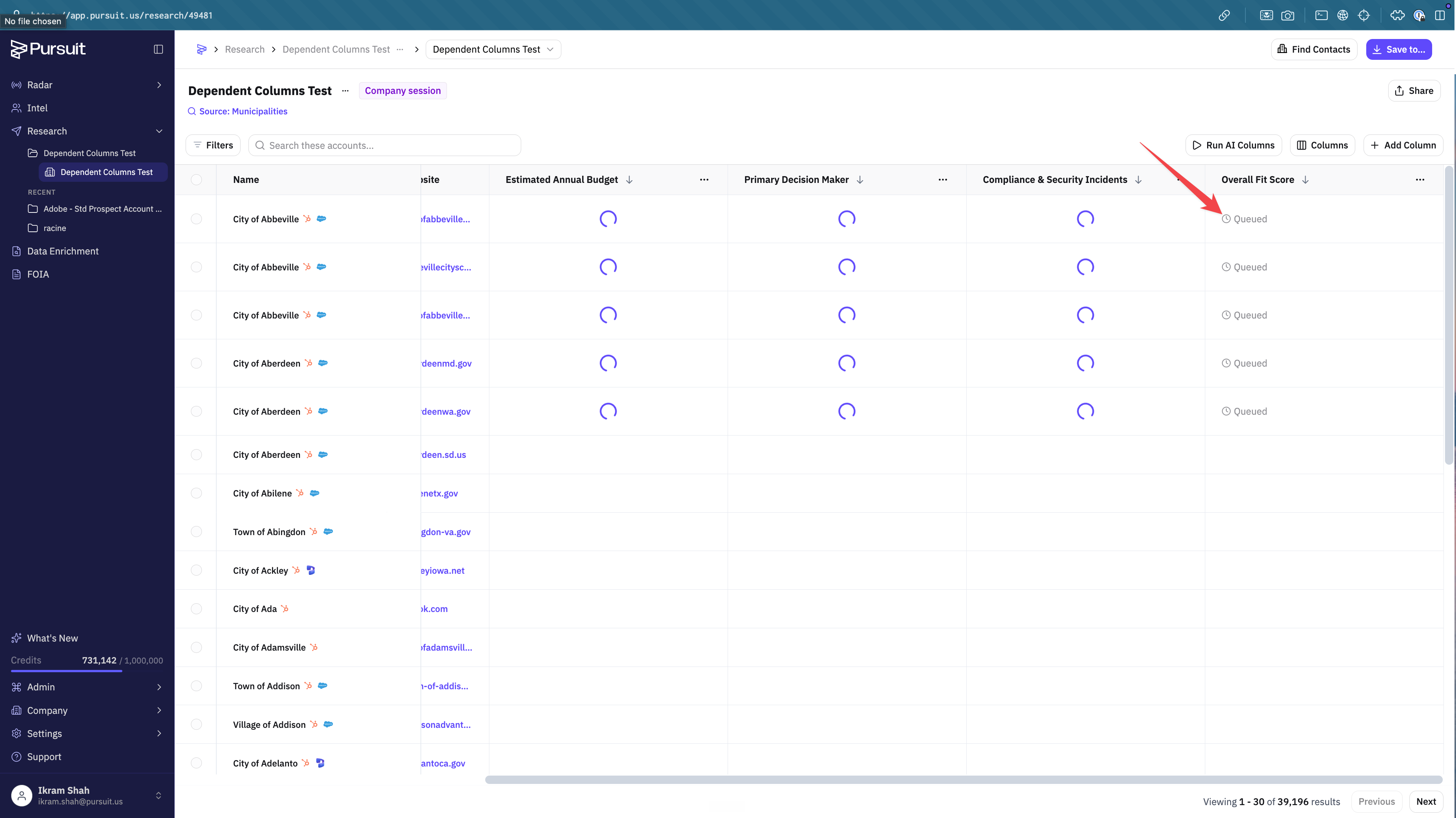
A dependent column is a Research column that reads from other columns, and it now waits for those input columns to finish before it runs. Reference another column in a prompt to link them, and Research runs the chain in the correct order from a single run.
What This Is
When you build a multi-step flow in Research, summarize an account, then qualify it, then draft outreach, later columns depend on earlier ones. Dependent columns manage that order for you, so you run the flow once instead of running each column by hand and watching for the previous one to finish.
How It Works
Reference another column in a prompt to link them. For example, an outreach email column that uses your Company Summary and Is-it-a-fit columns as inputs.
When you run several columns at once, independent columns start right away. Dependent columns show Queued until their inputs are ready, then run on their own. The chain runs in the correct order all the way down.
If an input column fails to generate, the dependent row is marked Skipped and names the column that came up empty, rather than producing an answer from nothing. Skipped rows are not charged.
What It Doesn't Do
A dependent column does not invent an answer when its inputs are missing. It skips the row and tells you which input was empty, so you know what to fix and rerun.
Next Step
In Research, reference an existing column inside a new column's prompt, then run both to see the dependent column queue and fill in order.
Additional Reading:
📄 Account Research and Opportunity Scoring
See also Creating a custom AI prompt and Setting up Score Entities (Account Scoring).