Exporting Data from Pursuit
Last updated: June 10, 2026
Pursuit supports multiple ways to get your data out of the platform — CRM sync, CSV exports, webhooks, and hand-picked row exports.
CRM Sync
Push entities and contacts directly to Salesforce or HubSpot. Data flows automatically based on your integration configuration.
CSV Export
Export data from Research worksheets and pipeline sessions as CSV files.
Open your worksheet or pipeline session.
Click Save to...
Choose CSV format.
Choose which columns to include in your export
Hand-Picking Rows for Export
You don't have to export everything. In Research worksheets:
Select individual rows using the checkboxes, or use Select All across your filtered dataset.
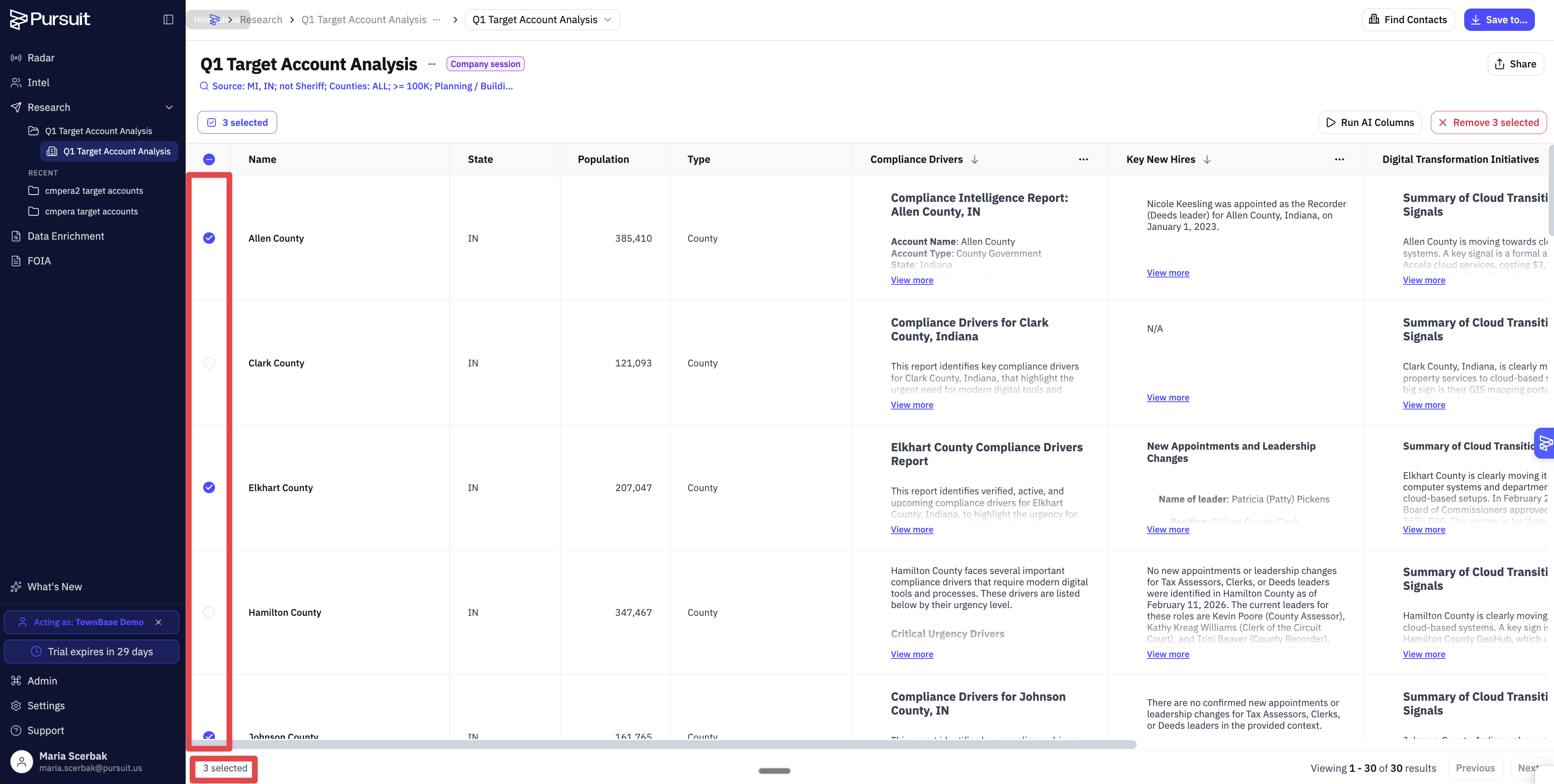
Export only the selected rows, or create a new workbook from the selection.
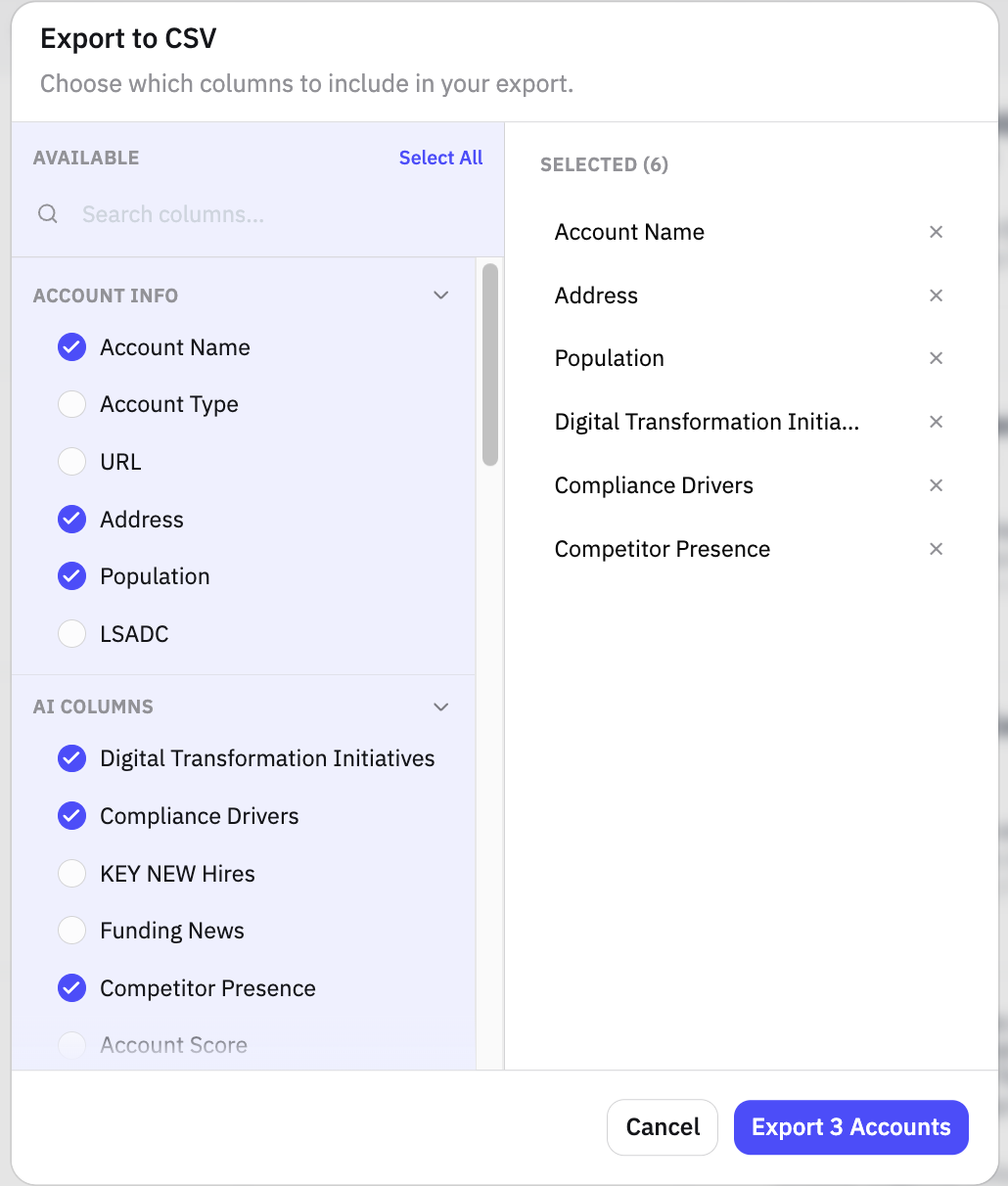
This is useful when you've already identified exactly which accounts you want — no need to filter or export the full list.
Webhook Exports
See 📄 Setting Up Webhooksto push data from Research workbooks to external tools automatically.
For Admins
All export activity is logged under Settings → Usage:
Data Exports tab — CRM sync history (entity/contact counts, dates, success/failure)
CSV Downloads tab — Audit log of who exported what and when
See 📄 Understanding Usage Tracking
Tips
Use hand-picked row export when you know exactly which accounts matter — it's faster than filtering.
Check the Data Exports tab if a CRM sync doesn't seem to have worked. Download the error file to debug.